
Use Discriminantly with Muse
A custom connector, authenticated with a key you make in Discriminantly’s Settings.


Custom connector · API key Submitted · In review
The facts.
- Endpoint
https://muse.discriminantly.com/mcp(no trailing slash)- Connection
- Custom connector (remote MCP)
- Authentication
- API key, sent as Authorization: Bearer
- Key creation
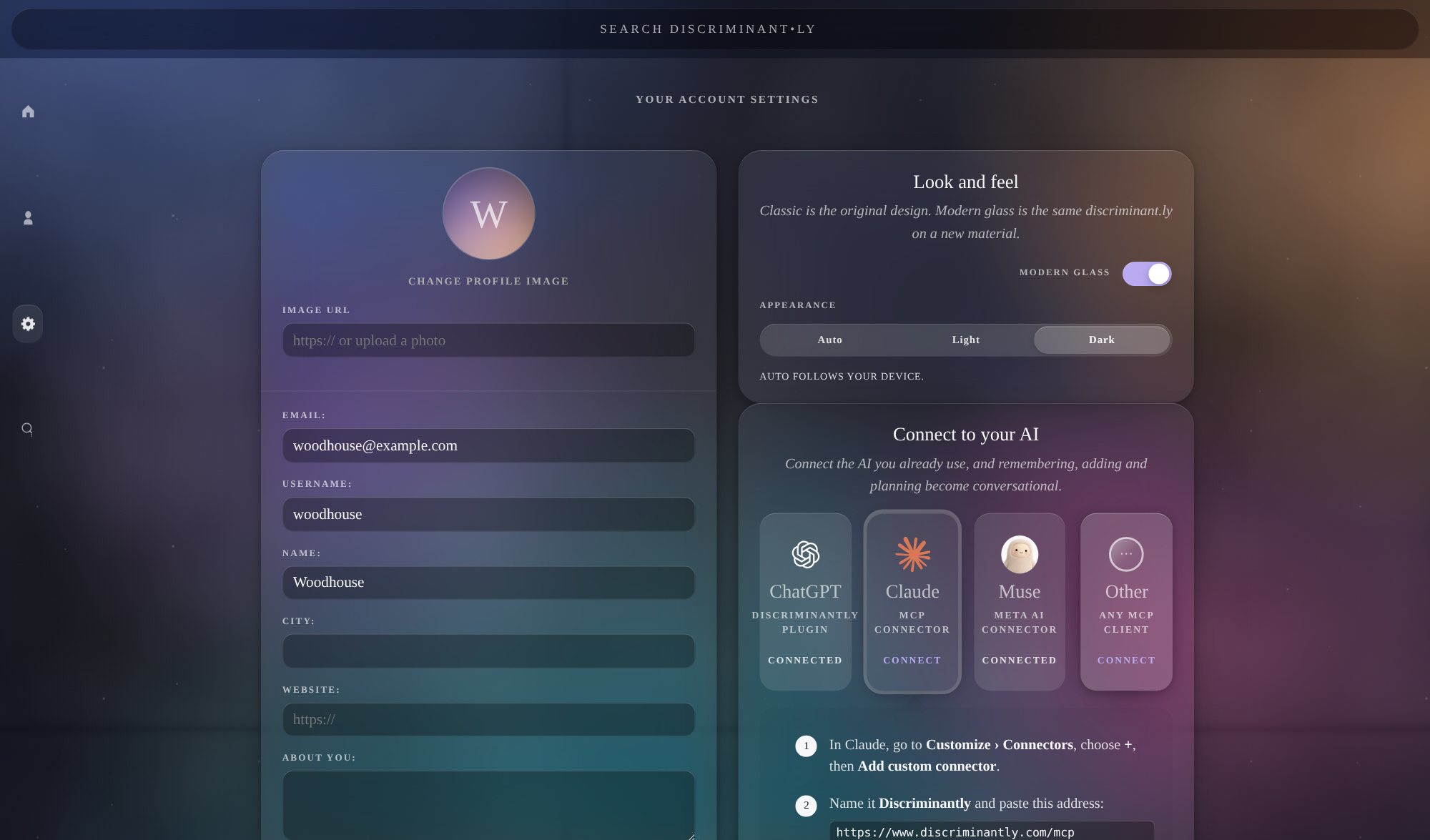
- Discriminantly → Settings › Connect to your AI → name the connection Muse → Create a connection
- OAuth
- Not supported for this route
- Status on the Muse platform
- Submitted to the Muse platform on 13 October 2026. Business verification, the data-processing questionnaire and the integration credentials are all in review. The pipeline is In review → Testing → Approved.
- Availability
- Available as a custom connector
- Directory
- Not yet approved or directory-listed
Setup
4 steps.
- 1In Discriminantly, open Settings › Connect to your AI. Name the connection Muse and choose Create a connection. Copy the key it shows: it appears once.
- 2In a Muse chat, ask Muse to add a custom connector for your Discriminantly MCP server at https://muse.discriminantly.com/mcp, using an API key sent as Authorization: Bearer.
- 3When Muse asks for the key, paste it into the Secure credentials store.
- 4In a conversation, ask Muse to use Discriminantly.
OAuth sign-in is not supported on this route. The key stands in for a sign-in, so treat it like a password; you can make it read-only, and revoke it any time in Settings.
What you can ask
Start from a request, use your record, save what matters.
An empty account can begin with recommendations and planning; it simply has no records of yours to contribute yet. As you save things, requests can draw on them.
- Start from a request
Using Discriminantly, plan two days in Naples around classic cafés, pizza and tailoring.
- Use what you’ve saved
Turn my saved London places in Discriminantly into a weekend plan and recommend a few additions.
- Save something
Keep Hatchards in London in Discriminantly for me.
Suggested places stay recommendations until you keep them. A plan is not a record of going.
Verify it
Ask for something that changes nothing.
Once the connector is in place, send Muse this:
List my saved Travel Marks in Discriminantly. Don’t add or change anything.
Muse should list the travel marks you have saved, and nothing in your account should change. If it is refused, the key is missing, mistyped or revoked: make a new one in Settings.
Last tested , by Discriminantly: connection, reading and writing through a key were verified live.
This is Discriminantly’s own testing. Submitted to the Muse platform 13 October 2026; in review; not yet approved or directory-listed.
About the key
A credential you control.
- The key is shown once when it is made and stored only in hashed form.
- Each connection has its own key. Revoking one in Settings takes effect immediately and leaves the others working.
- A read-only key lets Muse look things up but refuses anything that would change your record.
- Everything Muse adds is recorded as Muse acting for you, and shows up in Discriminantly like anything else.