
How Discriminantly works
Discriminantly helps you save the places and things you notice, remember where you’ve been, and turn it all into trips you can share or plan with friends. Start with something you want to remember—or start with a destination and ask for help. You don’t need an existing collection to begin.
- 1Notice
Save something you noticed
See a tool, book, maker, idea, or product you want to remember? Save it as a note and add a quick line about why it caught your eye.
It’s yours to keep—not a claim that you own it, bought it, or recommend it.
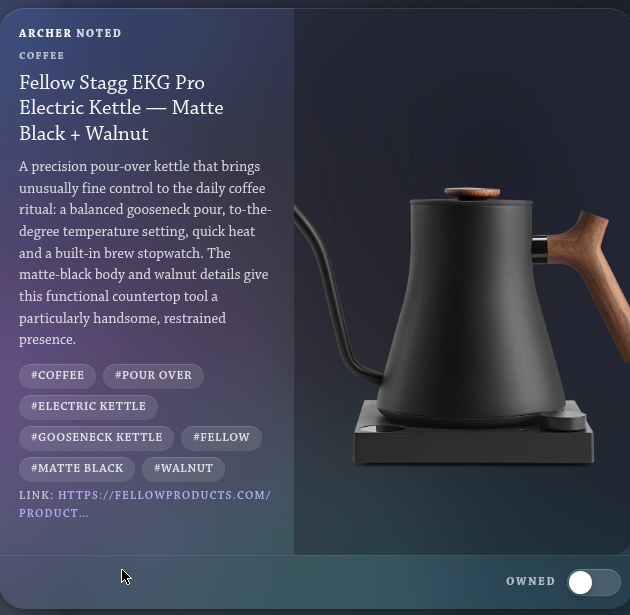
A note for a pour-over kettle: the member’s line on why, its tags and a link. - 2Locate
Save a place you want to remember
See a restaurant, shop, hotel, or view you might want to visit? Save it as a place.
Discriminantly can add its address and map location when it finds one. You can save a place long before you go—or even if you never go.
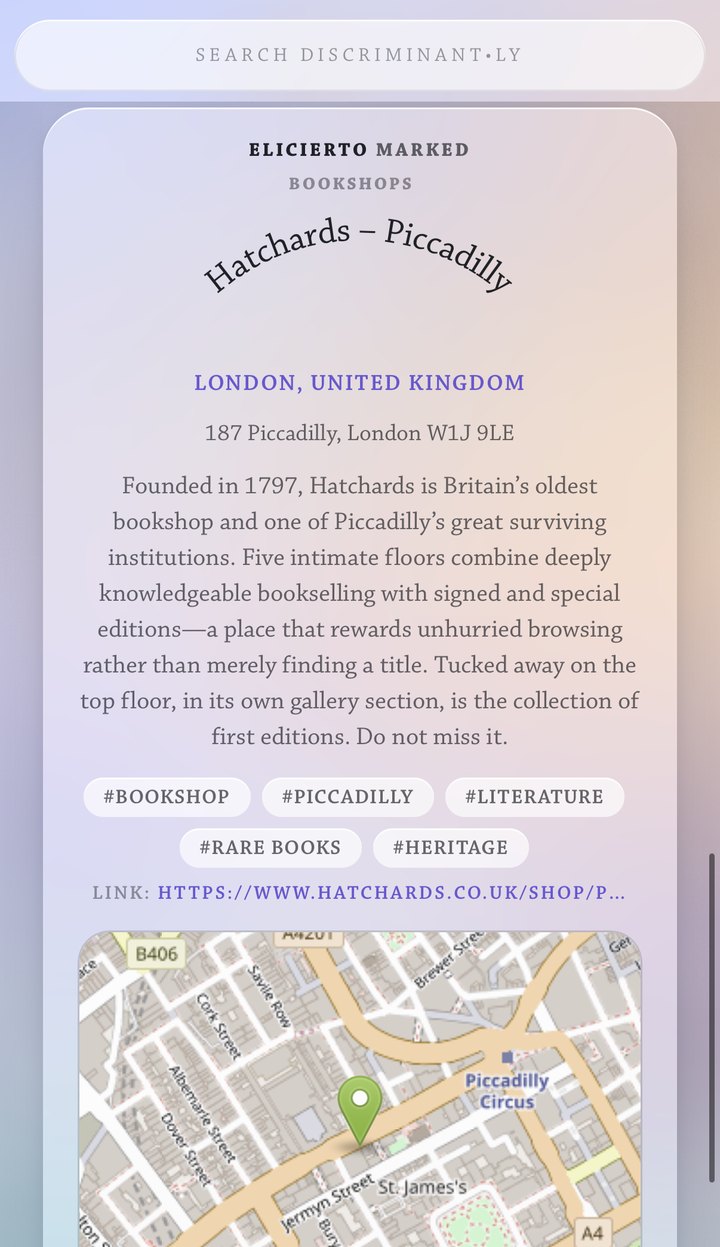
A saved place: Hatchards in London, with its address looked up and its spot on the map. - 3Experience
Remember where you’ve been
When you actually visit a place, add a check-in.
Add the date, a few days if it was a longer stay, and anything you want to remember about it. A saved place or a plan doesn’t mean you went; a check-in means you did.

A check-in on a saved place: the date, and what the member said about the visit. - 4Organize
Keep related things together
Group notes and places into collections—a city, a theme, a future trip, or anything else that makes sense to you.
A restaurant can be in “Kyoto,” “Ramen,” and “Next Japan trip” at the same time.

Collections on a profile, each with its count: coffee, fly fishing, fragrance, golf. - 5Compose
Turn your saves into a trip
Start a trip from scratch, from places you’ve already saved, or both.
Tell Discriminantly where you’re going, what you like, and how long you’ll be there. If you’ve connected an AI assistant, it can suggest places and arrange them into days and stops. Your own saved places help shape the plan.
Adding a place to a trip means you’re considering it—not that you’ve been or recommend it.
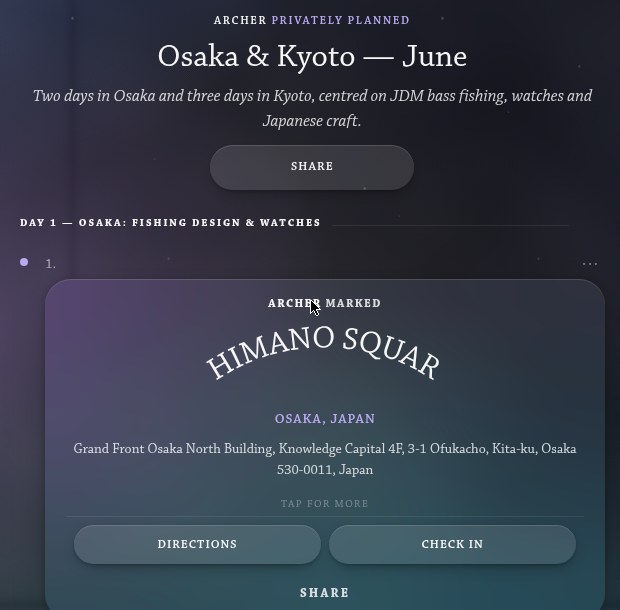
An itinerary, Osaka and Kyoto in June: Day 1 and its first stop. - 6Plan together
Plan with other people
Share a trip by link so someone can view it and make their own copy. Or invite them to plan it with you as an editor or viewer.
Your private notes, check-ins, and other saved records stay yours. If you add a private place to a shared trip, Discriminantly asks before making its name and address visible to collaborators.
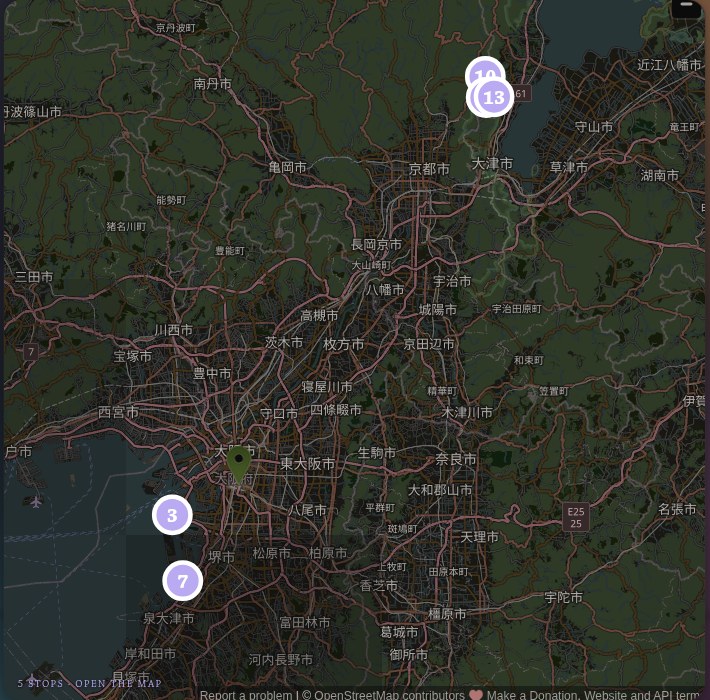
The same plan’s map, every stop pinned, ready to share by link or invitation. - 7Work with AI
Use the AI you already use
Connect the AI assistant you already use. It can recommend places, build plans, and—when you allow it—use your saved places and notes to make suggestions more relevant.
You stay in control: connect or disconnect an assistant whenever you want, and every change it makes is clearly attributed to that assistant.
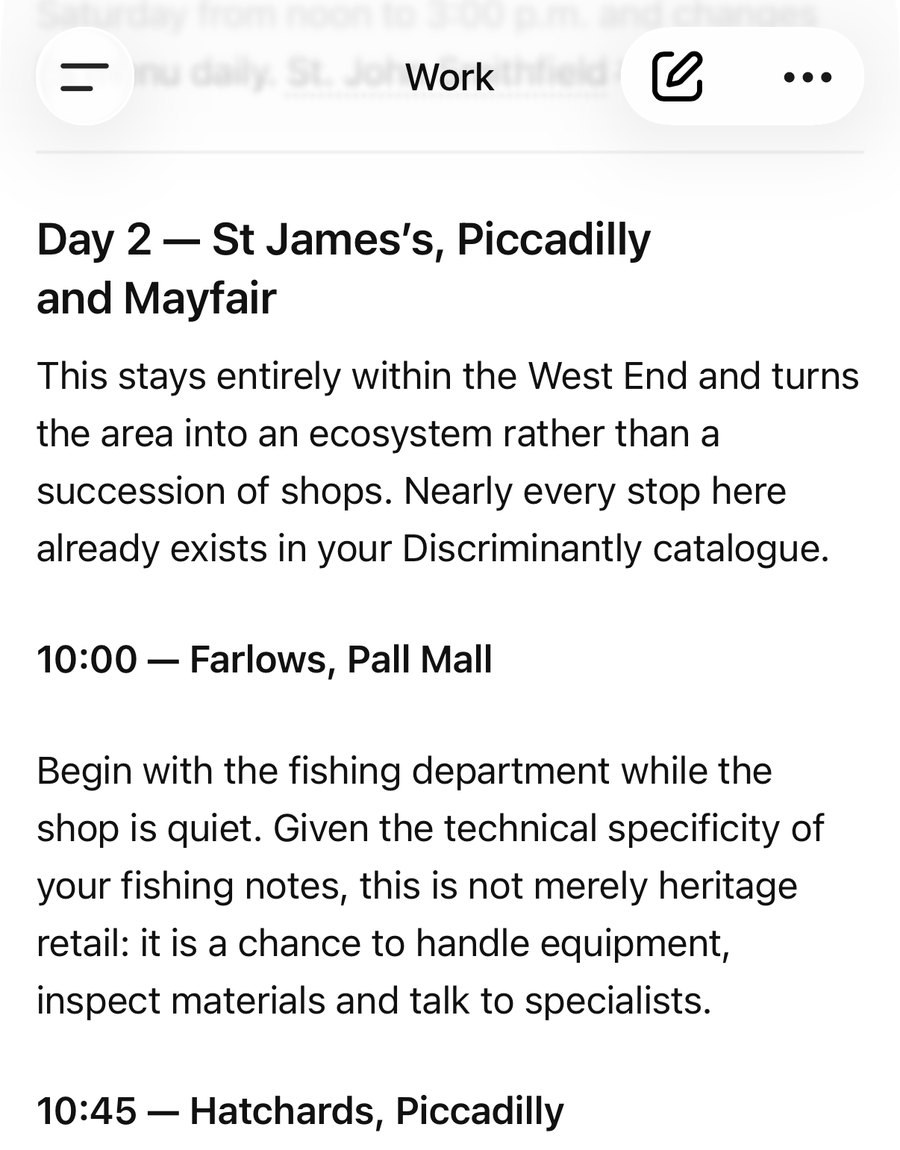
A trip planned in a conversation with an AI, from places saved in Discriminantly.


The names
The six kinds of records.
- Notes
- A note remembers something you noticed: a product, maker, book, idea, or interest. You can add why it matters to you. A note does not mean you own, like, bought, or endorse it.Saving something does not purchase or book it.
- Places
- A place, or Travel Mark, remembers somewhere you might want to go—or somewhere you want to remember: a restaurant, shop, hotel, view, or neighbourhood. Saving a place does not mean you’ve been there or recommend it.
- Check-ins
- A check-in records a real visit: when you went, how long you stayed, and anything you want to remember. Only you can say you went somewhere. A plan, note, or mention never becomes a check-in automatically.A check-in is the only record that means you actually went.
- Collections
- A collection groups related notes and places under a name you choose—like “Kyoto,” “Coffee,” or “Next summer.” A collection organizes things. It doesn’t make any claim about them.
- Itineraries
- An itinerary is a plan: places and ideas arranged into days and stops. You can start one from a request, from saved places, or both. You can share it or build it with others. A plan is an intention—not proof that you went.An itinerary is a plan, not a completed trip.
- Warrants
- A warrant is a deliberate recommendation: a way of saying, “I stand behind this.” You choose when to give one.A recommendation does not mean you own or visited something. A warrant is a deliberate recommendation, not an automatic result of liking, owning, or visiting something.
Evidence and control
You stay in control.
- Your records are yours. Saving, visiting, owning, and recommending are separate actions.
- Place details are clearly sourced. If Discriminantly finds an address or map location, it says so.
- AI suggestions stay suggestions until you decide to keep them.
- Plans start private. You choose what to share and with whom.
- AI access is yours to grant or revoke.
- Changes are visible. You can see who—or which assistant—changed what.
- Private stays private. If a private place becomes part of a shared trip, Discriminantly asks before showing its name and address to collaborators.