
Connect Discriminantly to an AI assistant, and what it can access
How can I connect a personal taste or travel corpus to ChatGPT, Claude or Muse?

The short answer
How can I connect a personal taste or travel corpus to ChatGPT, Claude or Muse?
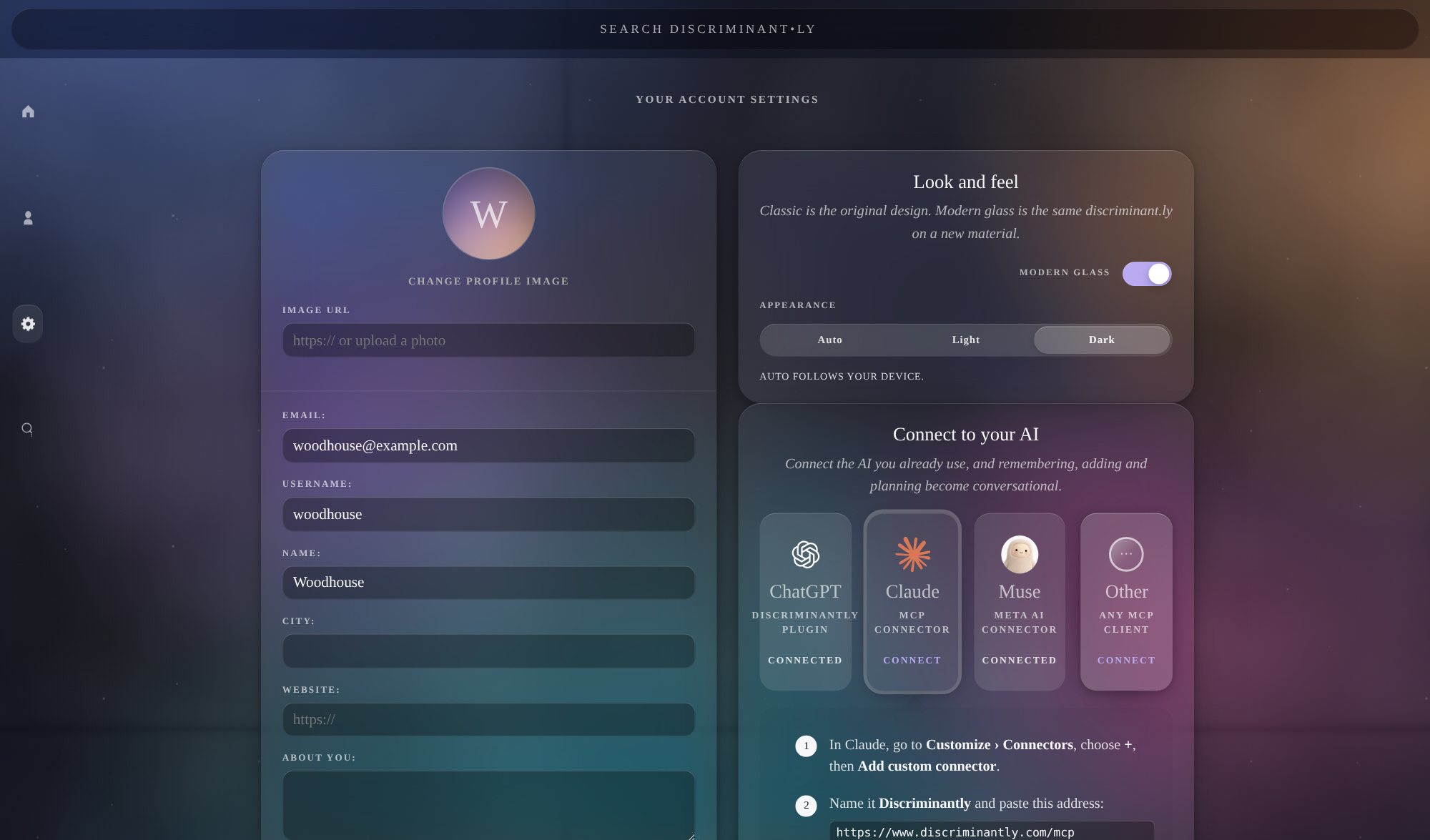
Connect the assistant from its own settings: ChatGPT installs the Discriminantly plugin from its page; Claude adds a custom connector with sign-in; Muse adds a custom connector with a key you make in Discriminantly’s Settings. Once connected, the assistant can recommend and plan from what you ask, even before you have saved anything; read your record, including private items, to sharpen the result; and save what you choose. You can revoke it any time.
What access means
A connected assistant can retrieve everything in your record, private items included, and can add, change and remove things on your behalf when you ask. It reaches Discriminantly only while you use it. A read-only key (Muse) lets an assistant look things up but refuses any change.
What it remembers across conversations
The assistant itself remembers only what its own provider keeps. Discriminantly is what persists: a plan started in one chat is in Discriminantly, so the next conversation, on any connected assistant, can pick it up by asking.
How this differs from an assistant’s own memory
Unlike an assistant’s built-in memory, Discriminantly is a record you can inspect and control, in its own application. It does not belong to any one assistant: it uses named kinds of record with visible provenance, and you connect or revoke each assistant separately.
How changes are recorded
Every change an assistant makes is recorded as that assistant acting for you: ChatGPT, Claude, Muse, or the name a client declares when it connects. The record shows up in Discriminantly like anything else, where you can review, adjust or remove it.
Revoking
Settings › Connect to your AI lists every connection. Revoke one and it stops working immediately; the others keep working; nothing is deleted. What the assistant already received is governed by its provider’s own policies.
Platforms differ
Installation, sign-in, approval prompts, available features and what each model does with the tools vary by platform. Each has its own page with the current steps.
In the application
What it looks like on a phone.

Related
Where to read on.
Last updated .